November 30, 2021

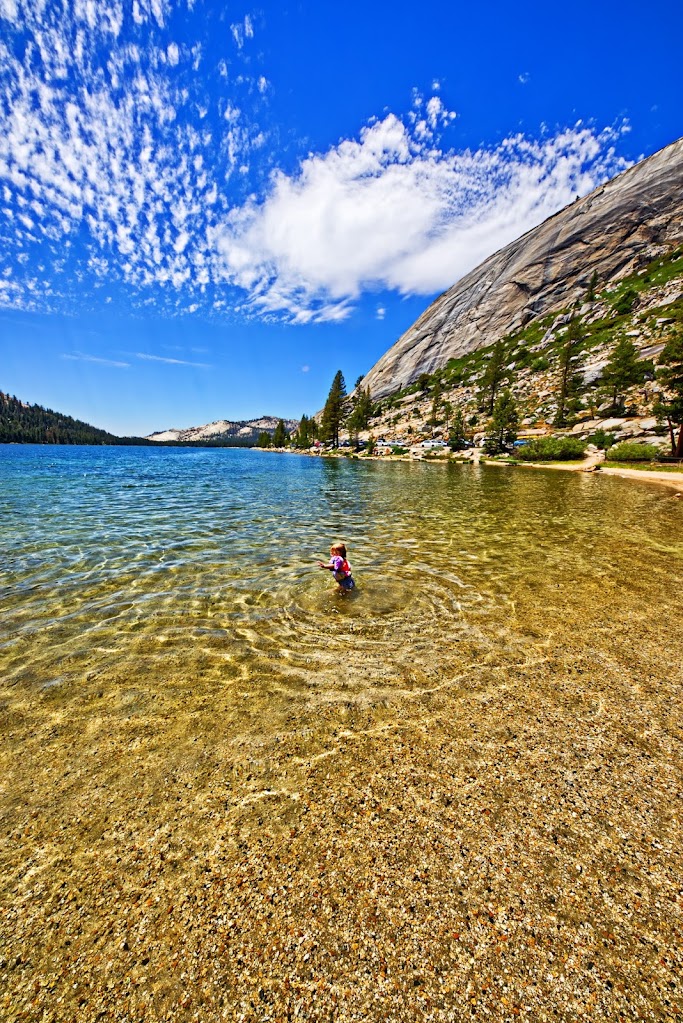
The memories of summer.


Canon 5D MK4

Sigma 12-24 f/4 @f/11 1/400 sec, ISO 250

September 20, 2021

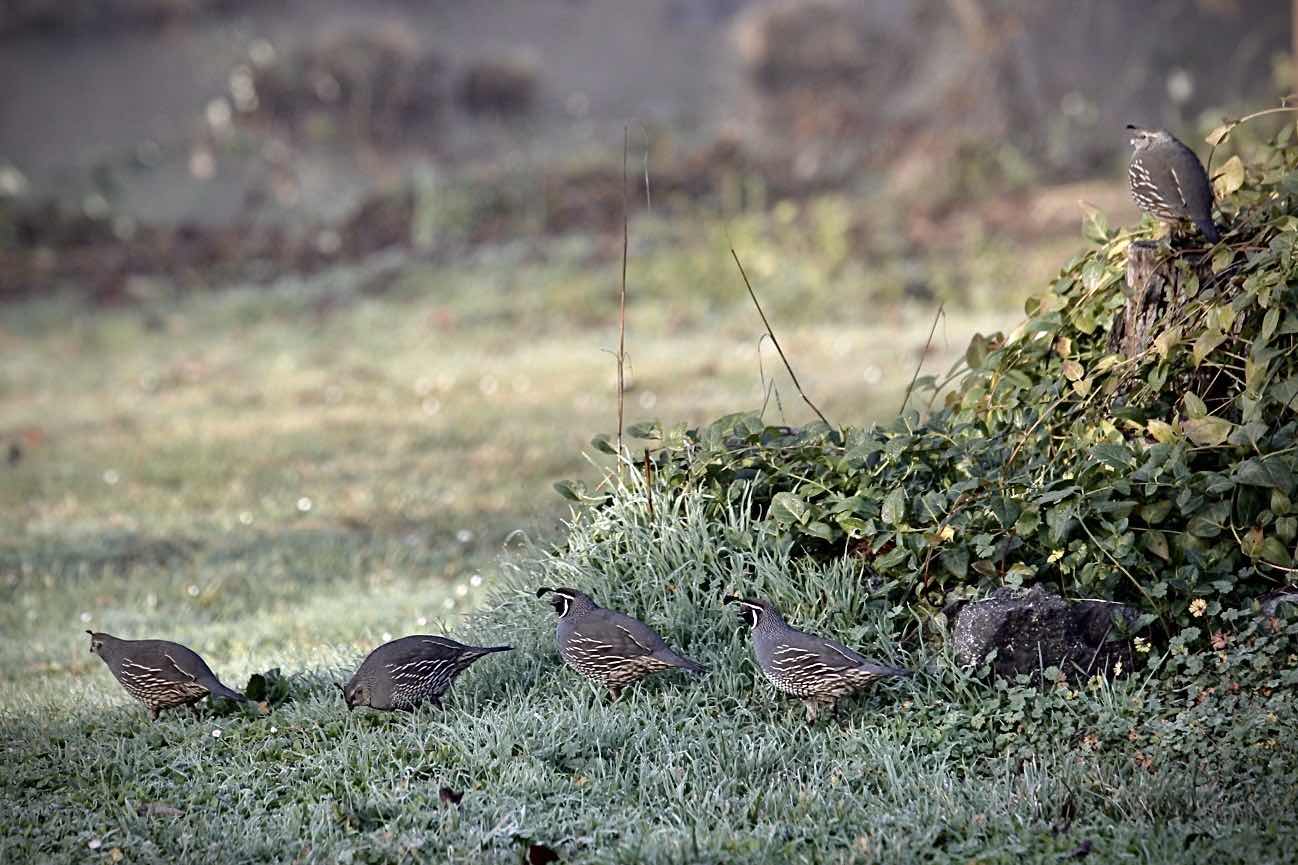
Faded light, faded color.


Handheld nifty-fifty shots

Keeping it simple @f/1.8

August 20, 2021

Peripherals


 The boring stuff is always hard to prioritize. Even for a gear head like myself, I find it difficult focus on the support pieces in my kit. It’s usually in middle of a shoot when I’m getting frustrated with a shortcoming that I’ll realize that it might have been more important than previously held.

You know the stuff. Light-stands, filters, caps, triggers, cards, etc.

One I’ve been half heartedly pursuing is a filter set. There is a psychological barrier from an early experience when I used a smudged (fluorescence?)filter on shoot. The lesson learned should be more about awareness, but I still hesitate to introduce points of failure to my system. And quality is expensive when talking filters. And since I have an ultra-wide lens I need ultra-wide filters. Like 150mm big. 

Filling in the boring niches allows furthering the capabilities of our gear… Which isn’t really boring. So… 10 stop 150mm here I come.

July 13, 2021

Western influence


 Canon 5D Mk4
 Sigma 12-24 F/4 @F/13 1/60 ISO100


October 18, 2020

Shipshape


Falling picnic.


July 21, 2020

The law of entropy

Things break down. They just do. So I wasn't shocked when this last week my workstation pc bit the dust. I could have fixed it but it would have been a waste of time. It was a powerhouse... 12 years ago... Times and resolutions have changed. It was still holding its own up until it decided to "blue screen of death". Repeatedly.

So for the first time in 6 years I have a Mac. It was not a planned upgrade but since it can handle modern media, I might get through some of my 5D backlog. I haven't stopped shooting. Just keep filling the memory cards :)

The digital darkroom is getting a refresh. We'll see how it goes.

January 21, 2020

Steps


Rogue.


November 7, 2019

August 30, 2019

The final solution

I used to change out camera bags frequently. Seasonally? After I outgrew my faithful Tamrac adventure backpack I never found a bag that checked all the boxes.

What are those boxes you ask?

Fit all the gear. ALL THE GEAR.
Be comfortable.
Have all the gear be instantly available at a moments notice.
Be weather resistant/have a rain cover.
Be carry on compatible.
Not look like a camera bag.

The Lowepro Video Fastpack 250 has been my mainstay for the last 5 years or so. It  got a bite taken out of the lower padding by my motorcycle at one point, but it keeps chugging along. But as the "life-and-camera-gear-simplification" process continues I see that the Fastpack will need to go. It doesn't fit all the gear. I can strap my 500mm and the tripod to the the sides but... It then upsets #2, #3, #5, and #6.

In the name of simplicity( and good image quality) I plan to replace the 500mm with 70-200 + a 2x extender. I need a 70-200 anyway seeing as how I dropped my IS F/4 in Salt Lake City that one time and it was never the same. My current 28-200 Tamron is a workhorse. And the image quality(especially at 200mm) is atrocious. But hey it was 99 cents. Well. $10 dollars anyway. But I digress.

The 500 goes away. The 70-200 goes in the imaginary perfect bag. Followed by my recently repaired 17-40L. All is well... Oh, and the 2x. And the new ebay mid-range lens. And the nifty-fifty. And the full-frame camera that I'm going to buy after I save up for all the other things... The tripod needs to go too. Its too old. Too heavy. On my recent trip to the Oregon outback the tripod head failed. Twice. Actually just the mount. Unforgivable.

Although alot of my gear is in transition, I can see things finally getting sorted out. I'll do a gear review in a few weeks with some before and after (if I can find any before...) But first I need to review some more non-adobe-cc software, the Oregon Outback series, my recent shots from climbing Mt. Theilson, and some recent Yosemite shots. (The above is one of them.) So hang tight... 

July 21, 2019

The digital darktable

Canon 7D
Tamron  28-200mm@28mm
Post:
Darktable 
GIMP
Alienskin Exposure X


Processing images after the shoot can be tedious. The best image organizers run fast. No lagging. They allow you to quickly sort the sometimes thousands of images from a trip or shoot. Adobe Lightroom and I have had a rocky relationship. It cost money for one thing. Which mean I couldn't spend that money on lenses. It also had a bad habit of not playing well with my network storage. And it did this weird thing of pulling its database into a giant library. It made the program run fast. But it used up a huge amount of disk space. Adobe addressed this issue in more recent releases.


I have tried various other methods including file explorer. Lately, I have been using Darktable. Nice program with a bit of a learning curve. Not as intuitive and missing some features that Lightroom would offer, but much faster. And free. I had a bit of a hard time getting used to the controls. In edit mode, you can't use keyboard arrows to navigate. But you can if you have full-sized images in the  "lightable" section. Overall the program has a professional feel and could easily fit into a high volume workflow.


Import, export, info. Click on the "Darkroom" to enter edit mode.
Sort previously sorted images for fast processing.
Scan through lots of images and view the information in the right pane


July 20, 2019

The house that Jack built

Manipulating an image after the shot (or "in post") can make some purists shudder.  "Wait!" they exclaim. "It isn't real!". This is true. But neither is your image in the first place. It is merely a representation of something. And sometimes that representation needs some help depicting the essence of the reality.

Most gentle tweaking(contrast, highlights, hue) can be done in lightroom-like post-production organizational software. Heavier editing needs a dedicated solution. For me that is GIMP. It works. Not as slick as some Photo$hop type programs, but it gets the job done.

Typical use will involve selecting a photo from the group that needs some work. Sometimes it just cropping or adding a filter. Sharpening is sometimes required.

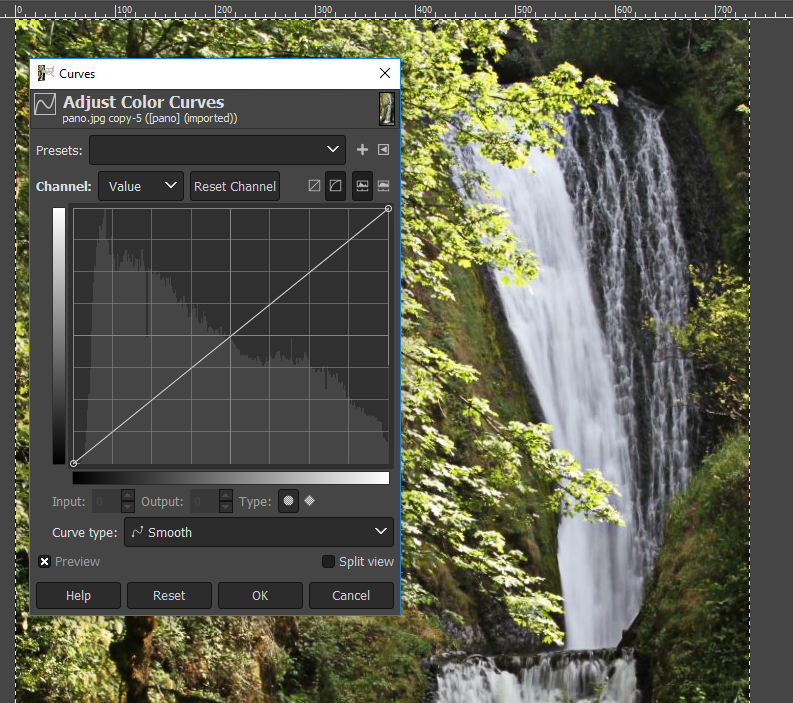
Here is a recent shot of Bridalveil fall that received some editing via GIMP. Many photoshop tutorial will translate closely to the GIMP interface. Sometimes it takes a moment of hunting or googling to find the method. But often you will find a favorite method/workflow and will use the same for many situations.  I find myself exclusively using curves to adjust colors.

Go try it out.


Adding a layer


Color curves are a requirement for a serious editing software
Combine layers
Nice export options


Canon 7D
Tamron  28-200mm@28mm
Post: 
Autostitch
Darktable 
GIMP
Alienskin Exposure X

July 1, 2019

The Cult of Creative Cloud.

Adobe has always been the premium choice in the creative media space. They make great products. I have used Photoshop, Premier, After Effects, InDesign, Lightroom, Acrobat Pro, and Audition. Probably others.

Photoshop, Premier, Lightroom, and Audition were the most used in my workflow.

I refer to these programs in the past tense because I am currently not using them. Why? I'm trying to quit. I've been CC free for almost a month now.

I hate the cloud. It exchanges old annoyances with new ones. And extracts a monthly cost for them. Although the old CS bundle was costly, I was not reminded every month! I understand the cost thing. I really do. It is the best way for Adobe to stay profitable. But it hurts my monthly budget enough to notice. And the cloud validation fails just often enough to be a regular workflow interruption. Inspiration can be fleeting. And when you have to wait for Photoshop to load, it can be difficult to hang on to. And when you have to stop everything to sign back into your Adobe account, it can die completely.

Adobe gets in the way.

Alternatives? Yes. Better? Probably not technically. But in terms of getting out of my way? Yes.

I'll highlight the alternatives that I have been using over the next few posts. But here is the short list.

Photoshop --> GIMP
Lightroom --> Darktable
Premier Pro --> Lightworks
Audition --> Audacity
After Effects --> Natron
InDesign --> Scribus
Acrobat --> Pdf Editor

Admittedly a couple of these have to try hard to keep up with the Adobe version. It's really too bad that it has come to the point that it is easier to deal with clunky interfaces and suboptimal programs than to waste time in the cloud. I am not very familiar with a few of these. Some are old standbys. I'll review the familiar ones first and as I become more familiar, highlight the newer ones.


Canon 7D
Tamron  28-200mm@39mm
Post: 
Darktable 
GIMP
Alienskin Exposure X


Google-

Another one bites the dust. A Google service that is.

With no google+ I'll push to other common platforms. No big.

Be sure to stay tuned for my post on the Cult of Creative Cloud.


Scott.